
07:30Shutter up
Take the money. The books keep themselves.
One till for card, contactless and bank transfer. A QR menu your customers read in their own language, with all 14 allergens on it. Every sale reaches your accounts the same day.
- Payments by Stripe
- All 14 FSA allergens
- No monthly fee
- No contract
One trading day
Five moments where the money moves.
A takeaway on Green Lanes, from the shutter going up to the books closing. Every shop runs these five moments. Only the details change.
Swipe, or use the arrows
One platform for the counter, the table and the kitchen.
The till
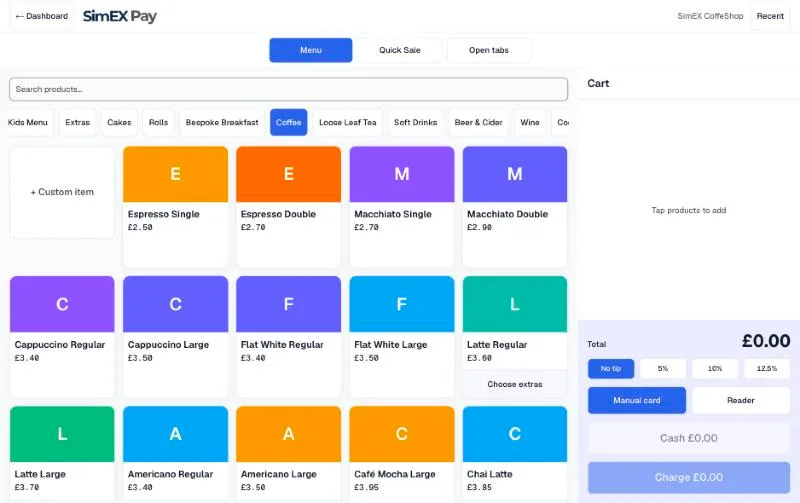
A till that runs on what you already own.
Any tablet, laptop or Android phone with a browser. Nothing to install, nothing to lease. Card, contactless and Pay by Bank on the same screen.
QR menu
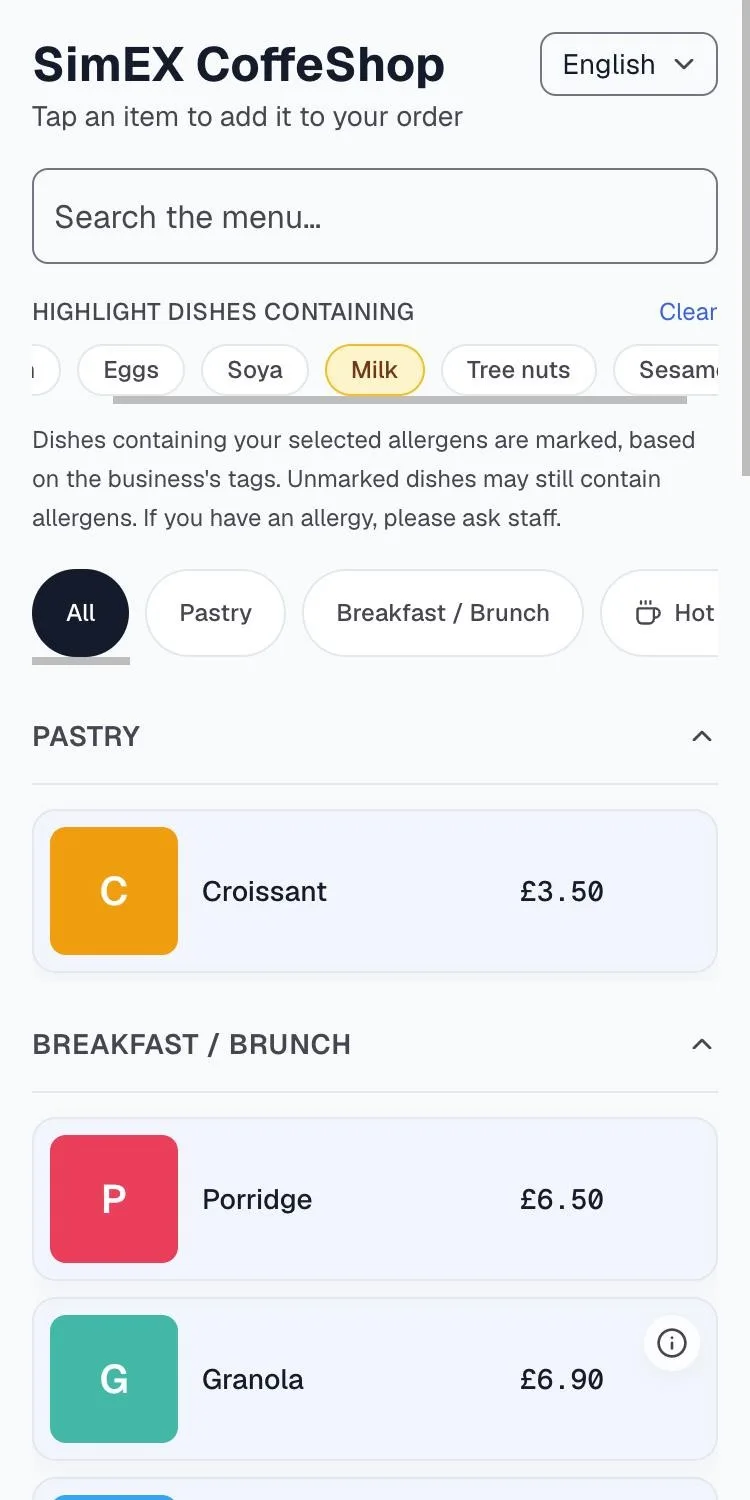
Customers order from the table.
No app to install. They scan the code, read the menu in their own language with all 14 FSA allergens on the item, order, pay and tip from their own phone.
Deliveroo
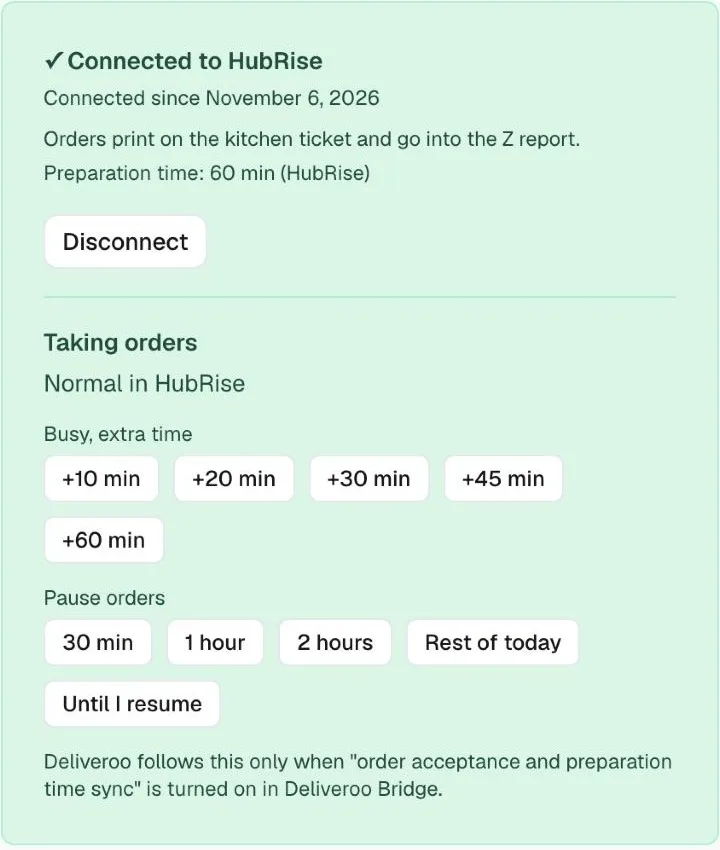
Deliveroo on the same paper.
A Deliveroo order arrives through HubRise, prints on the kitchen printer and is confirmed to Deliveroo the moment the ticket is queued. Busy or paused from the dashboard; Deliveroo follows.
Screens shown are from a live SimEX Pay account.
Priced so you can do the sum in your head.
One rate per payment type. Nothing monthly, nothing to sign, nothing that appears later.
- per Pay by Bank payment
- 0.89% + 20p
- per Pay by Bank payment
- per standard UK card payment
- 1.79% + 20p
- per standard UK card payment
- no subscription, no setup fee, no charge per member of staff
- £0 / month
- no subscription, no setup fee, no charge per member of staff
Straight answers
Questions people ask first
Getting started
How long does setup take?
An afternoon. Sign up, verify your business with Stripe, put your products in, print your QR code.
Do I need to buy a card reader?
No. Tap to Pay on an Android phone takes contactless payments with no reader at all, and it is live for UK merchants. Add a Stripe reader later if you want a counter, a printed receipt, or something to hand across.
Which reader should I get, if I want one?
The S700 for a fixed counter. The S710 if you move about, because it carries its own mobile connection. The WisePOS E if you want to take payment at the table.
Where does my money go?
Into your own bank account. You connect it during setup and payouts go straight there.
Running the shop
Does it work in Turkish?
Yes, and in English, Hindi and Chinese. Your staff pick their own language for the till, and your customer picks theirs on the QR menu.
Can my staff use it without seeing my bank details?
Yes. You invite your team and give each person the access their job needs. Payout and bank settings stay with the owner.
What if the shop's internet goes down?
The S710 carries its own mobile connection, so it keeps trading when the broadband does not. With no connection at all a reader cannot take a payment, and that is true of every card machine.
Can I refund a customer?
Yes, in full or in part, from the same screen that took the payment. The sale and the refund each reach your books as their own document.
22:41
Open tomorrow on SimEX Pay.
Sign up, verify with Stripe, put your menu in. Setup takes an afternoon, not an install date.
No monthly fee, no contract, and you can leave whenever you like.